Dear Customers,
We would like to update you on a new feature that will allow you to create dynamic items for your brandings.
You will be able to add them by going to Marketing > Branding and there we added the new 'Dynamic Branding' section for adding the dynamic items by pressing on  :
:
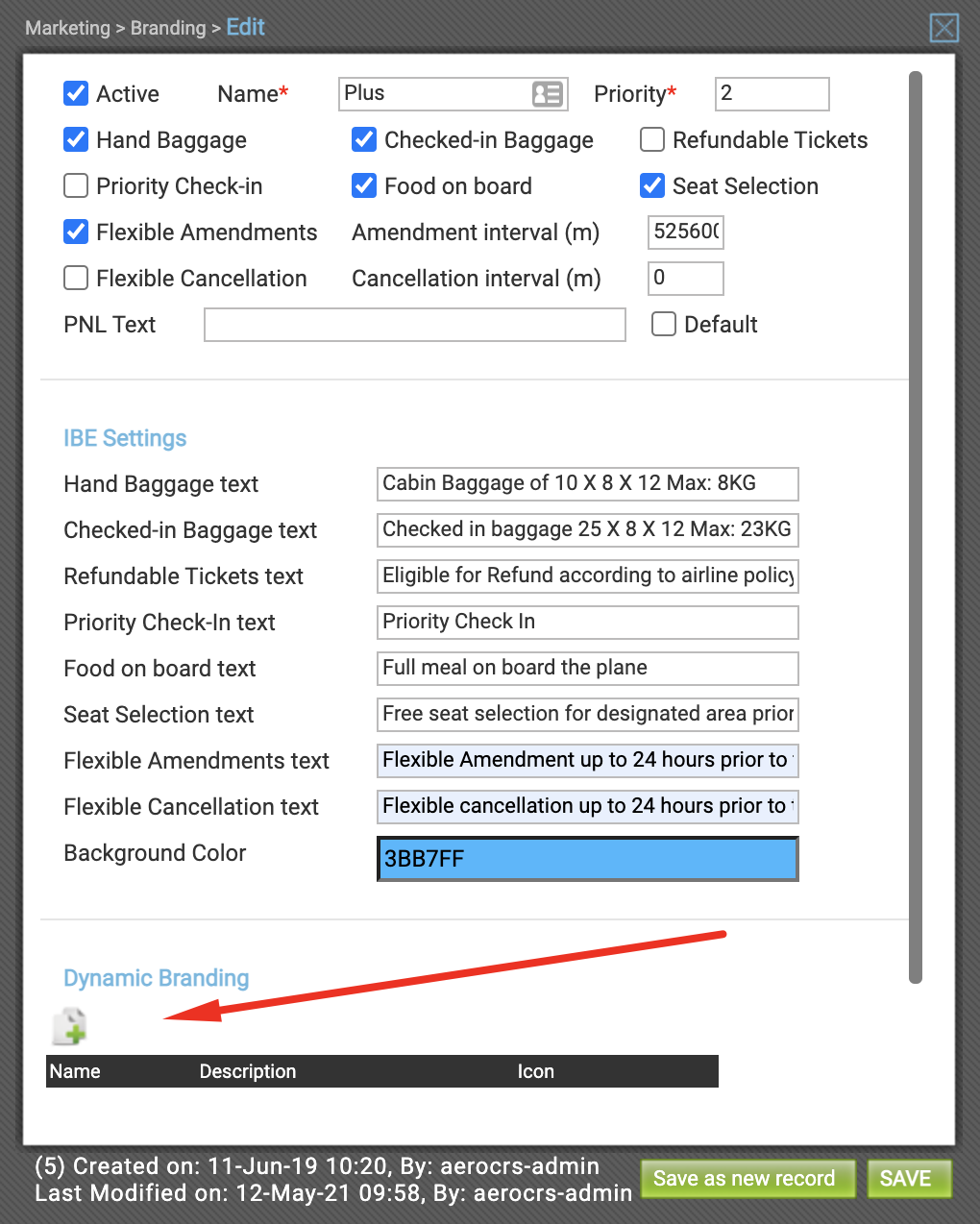
You will have a new pop-up window to add the dynamic branding:

| Field | Explanation |
| Name | Dynamic branding name |
| Description | Dynamic branding description |
| Icon | Icon to be shown on the website, you can visit the following link from fontsawesome |
For the icon, once it is selected you will need to take the class and put it on the field:
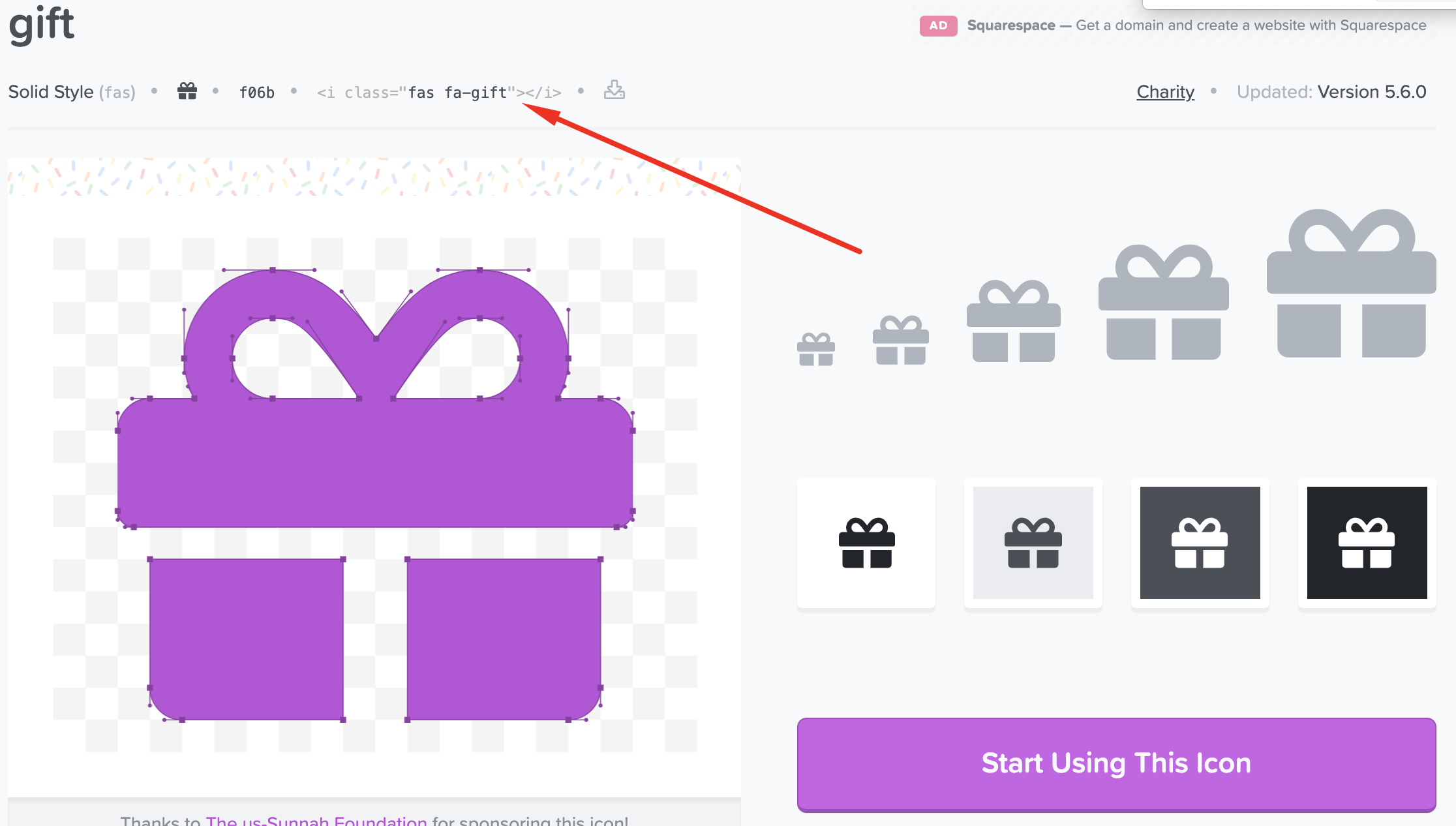
In this case, it will be fa-gift.
Once the dynamic branding is configured it will be shown in the website together with the default branding items.
Permissions:
You can control this further with the new permissions added for this feature:
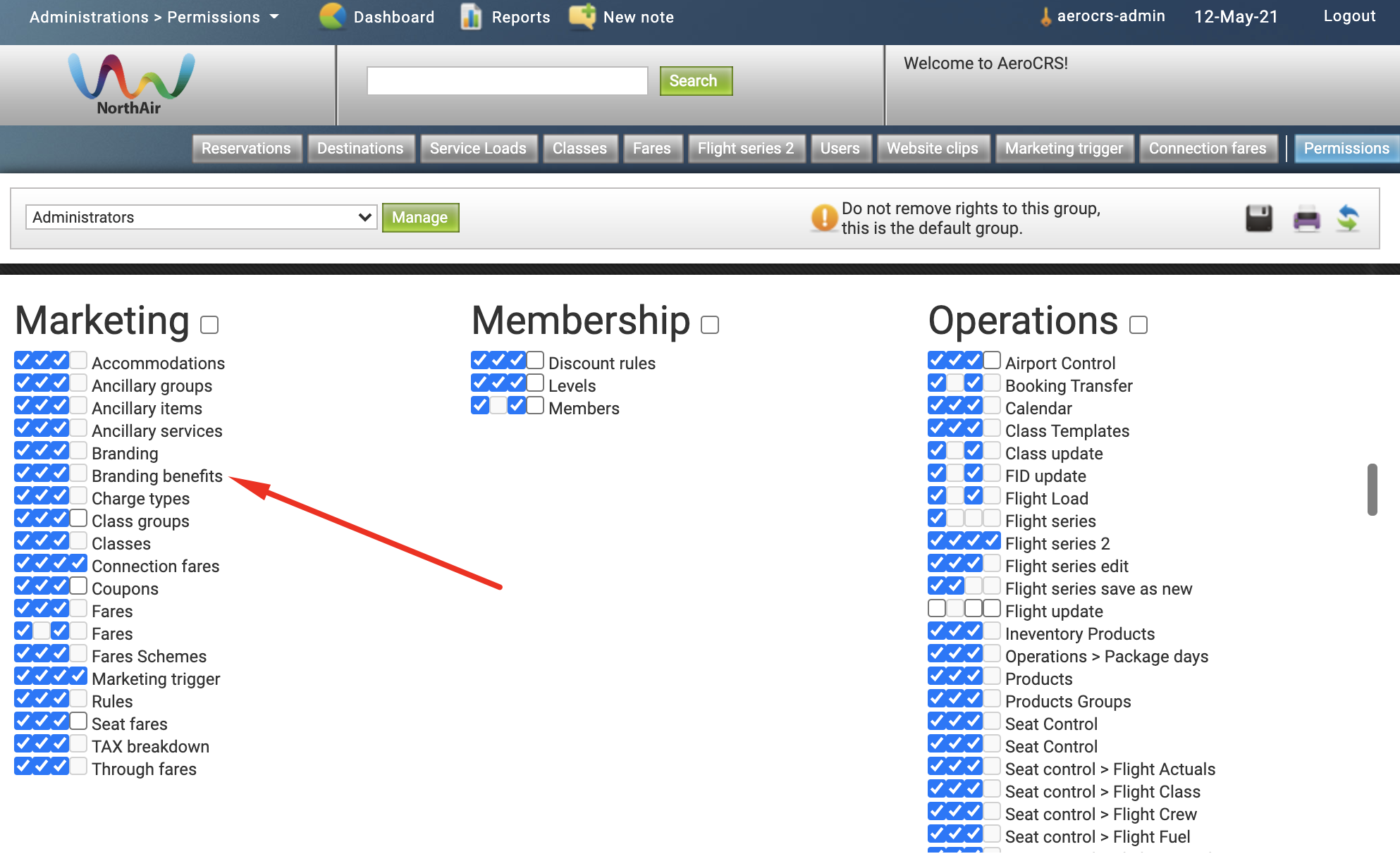
If you have any questions or require additional information regarding this new option please submit a support ticket directly or contact us at support@aerocrs.com
Comments